
Protection by INKY
EMAIL SECURITYMeet the INKY Email Assistant
INKY Email Assistant is always available, on any system or device — educating and enabling users through interactive color-coded banners on every email and empowering employees to become cyber champions.

A yellow caution banner indicates that INKY found something unusual about an email message. It is not necessarily dangerous but has something a user should be aware of. For example, INKY displays a yellow banner for an email from a First Time Sender. Email that seems out of the ordinary like a spear-phishing email would receive a yellow banner.

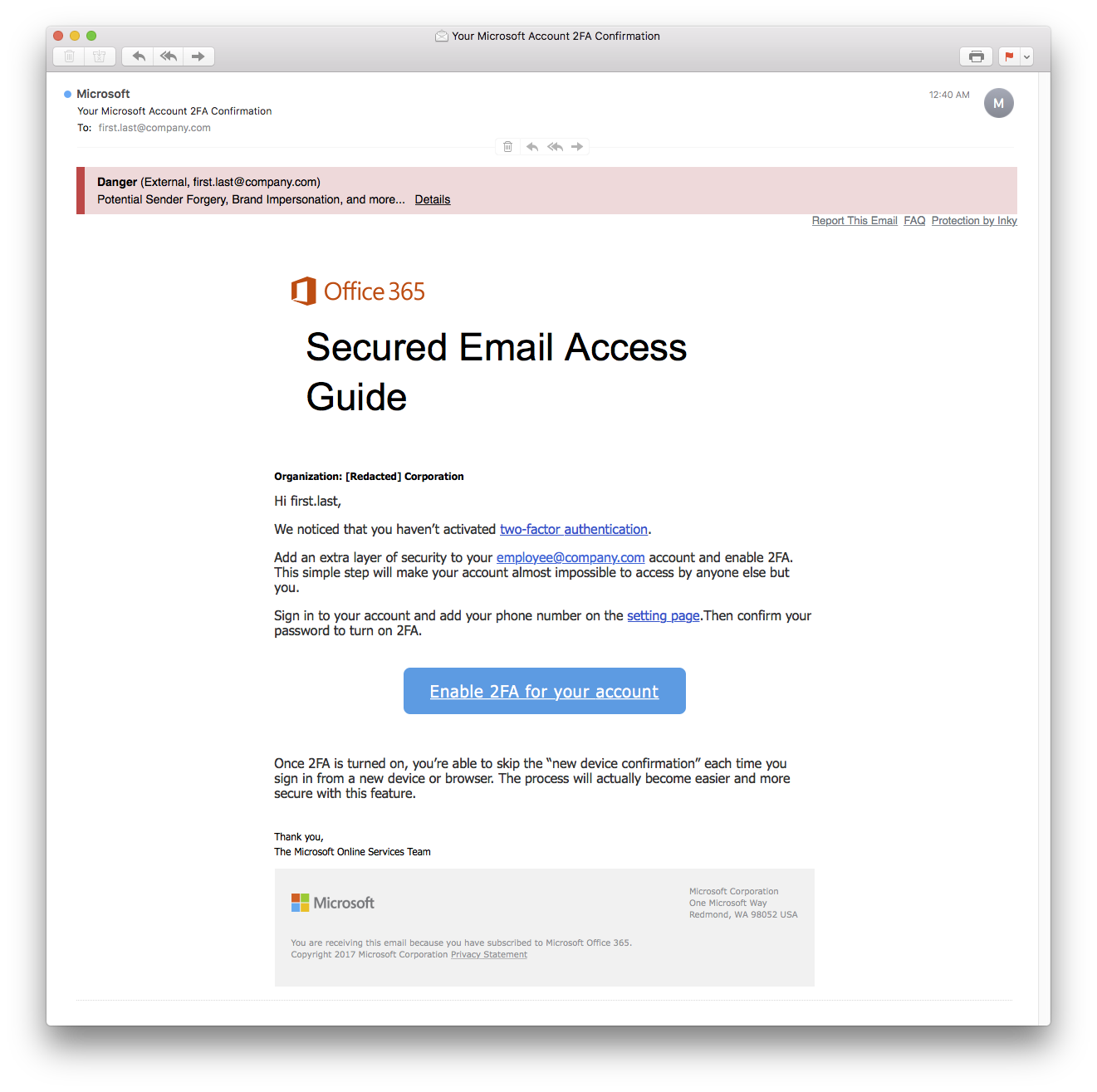
A red banner indicates that INKY thinks the message is suspicious and likely to be phishing or otherwise dangerous. This includes brand impersonations, blacklisted phishing URLs, or attempts to spoof mail to look like it came from an internal company account. Dangerous messages can also be quarantined.

A gray banner indicates that INKY did not find anything unusual or suspicious about a message. The banners also display the email sender’s address and mark if an email is from someone in the organization or from an external sender.
Let’s take a look at some common email security threats.
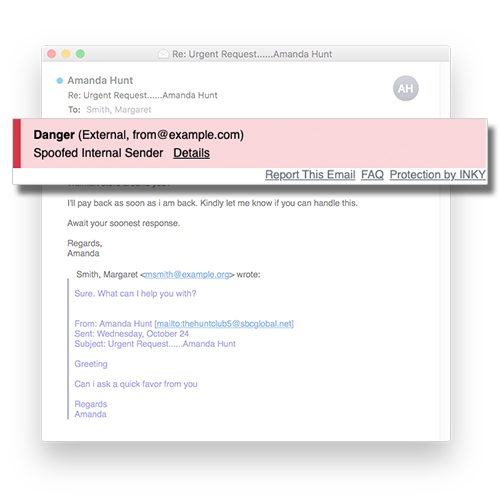
Sender Impersonation
Sender Impersonation is a clever attack where impostors either act under the identities of internal employees (oftentimes the CEO!) for financial gain. In a majority of cases, impersonation attempts occur with attackers emailing company employees from a fraudulent domain name that’s very close to the company’s domain. Usually, the criminal has used social engineering tactics to understand the business structure of an organization and coerced the employee into a financial transfer.
Brand Forgery
Brand forgery emails look like a legitimate email from a brand you know and trust– but it’s not really from that brand. Through good marketing, many companies have trained people to associate certain images or phrases with a given brand. Brand recognition helps sell products, but it also leaves users vulnerable to brand forgery attacks. By including branding from companies that users trust, phishers can make their emails look more authentic and trustworthy to their targets. As these phishing schemes become more sophisticated, INKY’s advanced brand forgery detection plays an increasingly important role in phishing protection.
Ransomware and Malware
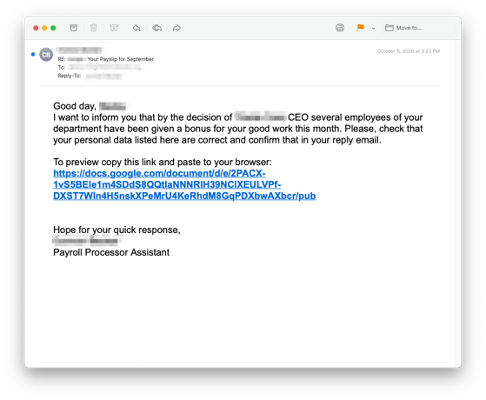
A particularly destructive tool hackers use to attack their targets is email that contains unsuspecting links or attachments to malware. They design phishing emails that set the recipient up for what is called ‘malware injection’. From there, the malware performs any number of tasks, including spreading itself throughout the network, data exfiltration, surveillance, and business disruption.
The INKY Platform
We believe that the right email security posture blends great technology with empowered employees. INKY combines real-time training with modern technology that gets smarter with every email. Learn more about our solutions below.

Anti-Phishing Protection
INKY detects and blocks brand forgery attempts, and mitigates sender impersonation attacks. The Email Assistant helps employees make safer email decisions through a color-coded banner system.

Outbound Mail Protection
Outbound Mail Protection is designed to reduce data leaks by scanning all outgoing emails and enforcing corporate policies. Any rule violation will trigger a confirmation page so mistakes are caught before they are sent.

Internal Mail Protection
Internal Mail Protection protects internal email traffic from attacks that originate within the organization. INKY builds profiles of senders to block impersonation attempts and reduce risk.
Email Encryption
INKY simplifies email encryption and increases user adoption so that sensitive data is protected from the time it leaves your inbox until the recipient reads it.

Mobile Email Security
INKY’s banners work exactly the same no matter what device users are reading emails. Fully functional across any mobile email apps, emails are flagged with a color-coded banner, and users can view threat details, and report emails from anywhere.
What Makes INKY More Effective?
Today’s criminals employ a variety of incredibly sophisticated techniques that elude even the most skeptical and well-trained eyes. This is where INKY excels. Through innovative use of computer vision, AI, and machine learning INKY catches everything.

Sender Impersonation Detection
INKY builds a profile for every sender. This profile tracks the sender’s writing style, word choices, and punctuation usage, and gives INKY a powerful tool for identifying impersonations.
Brand Forgery Identification
Through a unique and innovative approach to using machine learning and self-adapting AI, INKY is able to determine what brand, if any, an mail appears to be from.
A Mobile-First Email Assistant
The simplicity and elegance of INKY’s design works on inbound, outbound, and internally sent email and works just the same on any device or email platform.